%27%253E%253Cpath%20d%3D%27m2960%206499c-918-100-1726-561-2278-1299-196-262-374-609-475-925-171-533-203-1109-91-1655%20228-1115%201030-2032%202104-2408%20356-124%20680-177%201080-176%20269%201%20403%2014%20650%2064%20790%20159%201503%20624%201980%201290%20714%20998%20799%202342%20217%203420-488%20902-1361%201515-2382%201671-113%2017-196%2022-430%2024-159%202-328-1-375-6zm566-1443c476-99%20885-385%201134-791%20190-309%20282-696%20250-1045-22-240-73-420-180-635-78-156-159-275-274-401l-77-84h445%20446v-235-236l-1162%204-1163%203-100%2023c-449%20101-812%20337-1071%20697-77%20107-193%20335-233%20459-115%20358-116%20726-1%201078%20209%20644%20766%201101%201446%201187%20128%2016%20405%204%20540-24z%27%2F%253E%253Cpath%20d%3D%27m3065%204604c-250-36-396-89-576-209-280-187-470-478-535-821-25-135-16-395%2019-525%2095-351%20331-644%20651-806%2098-49%20225-93%20331-114%2092-18%20368-18%20460%200%20481%2095%20853%20444%20982%20921%2035%20129%2044%20389%2019%20524-36%20191-121%20387-228%20531-186%20249-476%20428-783%20485-65%2012-291%2021-340%2014z%27%2F%253E%253C%2Fg%253E%253C%2Fsvg%253E&name=1&owner=1&pattern=Signal&stargazers=1&theme=Dark)
A beautiful 🤩 Chrome Extension that adds additional features and gives an overall better experience for SEQTA Learn. Currently looking for contributors 🔥


## Table of contents
- [Features](#features)
- [Getting Started](#getting-started)
## Release Videos
## Features
- Dark mode
- Custom Background
- Improved Styling/CSS
- Improved look for SEQTA Learn
- Custom Home Page including:
- Daily Lessons
- Shortcuts
- Easier Access Notices
- Options to remove certain items from the side menu
- Notification for next lesson (sent 5 minutes before end of the lesson)
- Browser Support
- Chrome Supported
- Edge Supported
- Brave Supported
- Opera Supported
- Vivaldi Supported
- Firefox (currently not supported, plans for it in future though [manifest v3 problems])
- Safari (Experimental - only available via compilation)
## Getting started
1. Clone the repository
```
git clone https://github.com/SethBurkart123/EvenBetterSEQTA
```
### Running Development
1. Install dependencies
```
npm install # or your preferred package manager like pnpm or yarn
```
2. Run the dev script (it updates as you save files)
```
npm run dev
```
3. Load the extension into chrome
- Go to `chrome://extensions`
- Enable developer mode
- Click `Load unpacked`
- Select the `dist` folder
Just remember, in order to update changes to the extension, you need to click the refresh button on the extension in `chrome://extensions` whenever anything's changed.
### Building for production
1. Install dependencies
```
npm install # or your preferred package manager like pnpm or yarn
```
2. Run the build script
```
npm run build
```
3. Package it up (optional)
```
npm run package # this requires 7zip to be installed in order to work
```
## Folder Structure
The folder structure is as follows:
- The `src` folder contains source files that are compiled to the build directory.
- The `src/interface` folder contains source React files that are required for the Settings page.
- The `dist` folder is where the compiled code ends up, this is the folder what you need to load into chrome as an unpacked extension for development.
- The `safari` folder is an Xcode project, building it for MacOS does work, IOS needs a few modifications to the manifest to work, but I have managed to get it working. It will give an error, to fix this you need to regenerate it, you can delete the safari folder and then run the command `xcrun safari-web-extension-converter /dist` and it will automatically generate the xcode project where you are.
## Contributors
 ## Credits
This extension was initially developed by [Nulkem](https://github.com/Nulkem/betterseqta), was ported to manifest V3 by [MEGA-Dawg68](https://github.com/MEGA-Dawg68) and is currently under active development by [SethBurkart123](https://github.com/SethBurkart123) and [Crazypersonalph](https://github.com/Crazypersonalph)
## Star History
[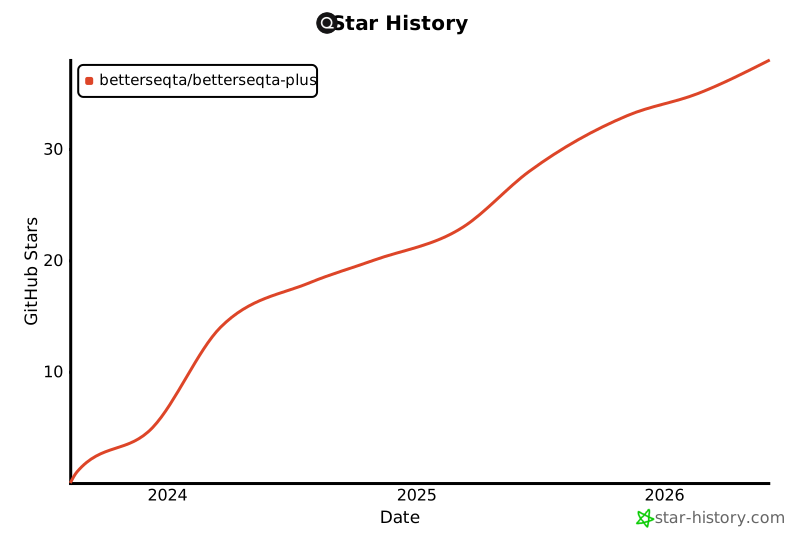](https://star-history.com/#sethburkart123/EvenBetterSEQTA&Date)
## Credits
This extension was initially developed by [Nulkem](https://github.com/Nulkem/betterseqta), was ported to manifest V3 by [MEGA-Dawg68](https://github.com/MEGA-Dawg68) and is currently under active development by [SethBurkart123](https://github.com/SethBurkart123) and [Crazypersonalph](https://github.com/Crazypersonalph)
## Star History
[](https://star-history.com/#sethburkart123/EvenBetterSEQTA&Date)

